A practical guide to planning material decisions, approvals, purchasing, production, inspection, shipping, and site delivery from one controlled schedule.
A construction procurement schedule is a time-based control document that connects every material package to the date it is required on site. It works backward from installation needs and shows the design information, quotation, approvals, purchase order, production, inspection, logistics, and receipt activities that must happen first.
The schedule should make the next decision visible: what is needed, who owns it, when it must be completed, what it depends on, and how a delay would affect construction. It is not simply a material list or a supplier promise. It is the link between the approved project programme and day-to-day procurement control.
Written by Winston
Project Director at Skyland Building · 10+ Years of Building Materials Experience
Updated September 2026 · 15-minute read
Key Takeaways
- Build the schedule from the approved construction programme and the installation sequence, not from a generic list of materials.
- Use one row per procurement package or independently controlled delivery phase, with a named owner and required-on-site date.
- Work backward through site receipt, logistics, inspection, production, purchase order, technical approvals, quotation, and design release.
- Keep baseline, supplier-committed, current forecast, and actual dates in separate fields so delays are not hidden by overwritten targets.
- Treat supplier lead times as conditional: record the starting event, calendar basis, assumptions, exclusions, and confirmation date.
- Review long-lead and low-float packages more frequently, but do not ignore inexpensive items that can stop an installation sequence.
What Is a Construction Procurement Schedule?
A construction procurement schedule records the sequence and timing needed to define, approve, buy, manufacture, transport, receive, and release materials or specialist systems for use. Each entry should be linked to a work area, construction activity, or installation milestone so the team can see the programme consequence of a late decision.
Create the first version during planning or early design, when assumptions still need to be tested. Replace assumptions with controlled information as drawings, specifications, quantities, quotations, approvals, and supplier commitments become available. Preserve earlier targets when the baseline changes so the record distinguishes recovery from a revised deadline.
Schedule vs. Plan, Log, BOQ, and Material Schedule
| Document | Primary purpose | What makes it different |
| Procurement plan | Defines package strategy, routes, responsibilities, governance, and approval rules. | Explains how procurement will be managed; it is not the live time record. |
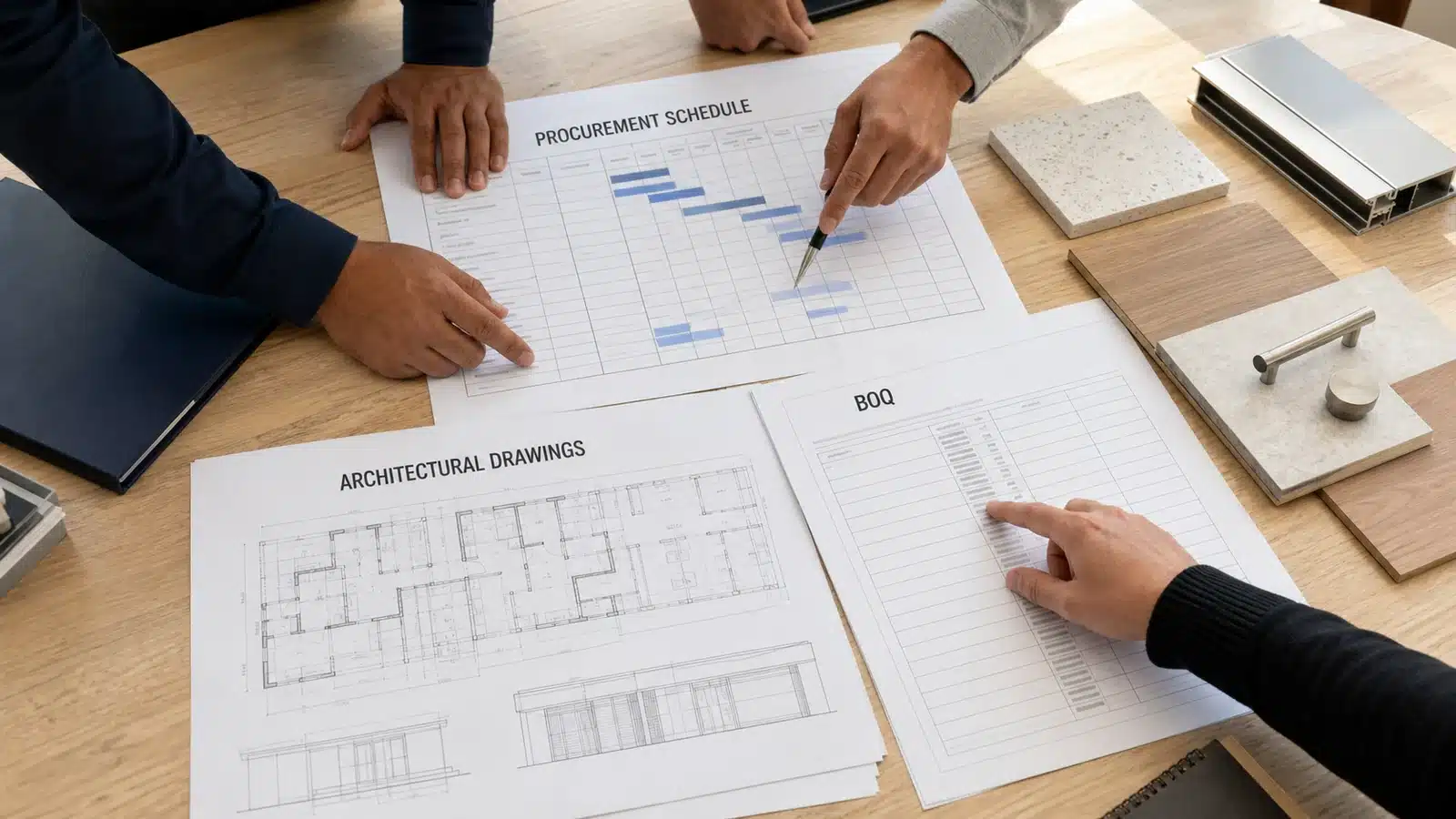
| Procurement schedule | Shows the dated decisions and supply activities required before installation. | Connects procurement milestones, dependencies, owners, and required-on-site dates. |
| Procurement log | Records status, actions, comments, and evidence for individual items. | May share fields with the schedule but can exist without complete time logic. |
| BOQ or quantity schedule | Defines measurable scope, quantities, units, references, and often pricing fields. | Supplies quantity and package data but does not by itself control every approval and delivery milestone. |
| Material schedule | Defines selected products by type, location, finish, size, or performance. | Describes what is required; the procurement schedule shows when it must be decided, ordered, and delivered. |
These records can be maintained in one platform, but every field needs a clear purpose. A wide spreadsheet with no dependency logic is still a log, while a schedule with no controlled technical references can drive the wrong item to site on time.
Construction Procurement Schedule Template: Essential Fields
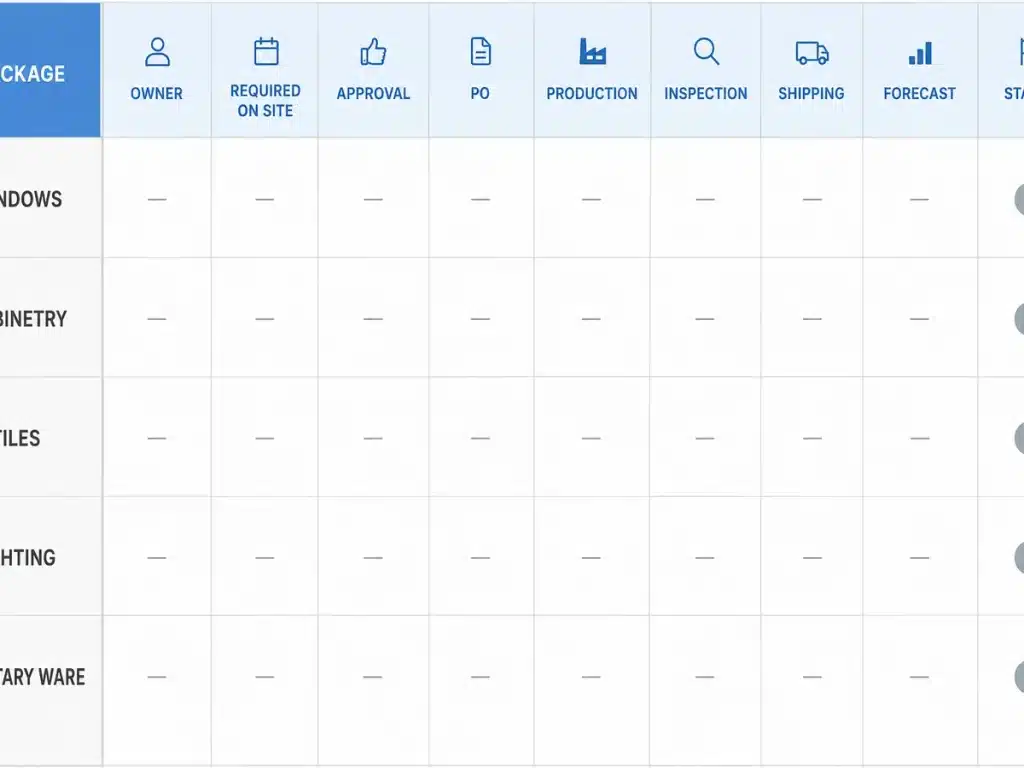
A useful template is detailed enough to expose missing information but simple enough to update during a weekly review. Start with the following field groups, then add project-specific columns only where they support a decision, handoff, or audit trail.
| Field group | Recommended fields | Control purpose |
| Package identity | Package code, title, trade, building, level, zone, room, and product or system description. | Keeps scope traceable across drawings, quotations, orders, packing, delivery, and installation. |
| Technical basis | Drawing and revision, specification section, schedule or type mark, quantity basis, approved sample, and submittal reference. | Shows exactly what is being priced, approved, manufactured, and inspected. |
| Commercial control | Budget, RFQ issue, bidders, quotation comparison, supplier, recommendation, purchase order, currency, and delivery basis. | Connects supplier selection and commitment to the approved scope and budget. |
| Approval gates | Design release, technical submittal, shop drawing, sample, mock-up, client decision, and final production release. | Prevents ordering or fabrication from starting before required decisions are recorded. |
| Time control | Required-on-site date, planned start and finish, duration, predecessor, float, supplier commitment, forecast, and actual date. | Connects every procurement activity to the construction sequence and exposes slippage. |
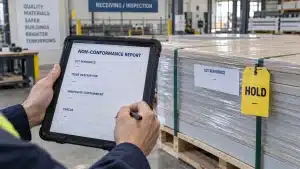
| Production and quality | Lead-time trigger, production start, progress update, factory completion, test or inspection point, nonconformity, and release status. | Separates manufacturing progress from an unsupported delivery promise. |
| Logistics and receipt | Packing, consolidation, dispatch, freight, customs, site delivery, unloading, storage, receipt inspection, accepted quantity, and damage status. | Shows when material becomes usable at the correct work area, not merely when it leaves the factory. |
| Ownership and change | Action owner, approver, next action, update date, risk level, change reference, reason, impact, and approval status. | Makes responsibility visible and preserves why dates or scope changed. |
Use the construction BOQ template to establish traceable package descriptions, quantities, units, and source references. When the inquiry is ready, the building materials RFQ guide explains how to issue the same controlled scope and response format to every bidder.
How to Build the Schedule Step by Step
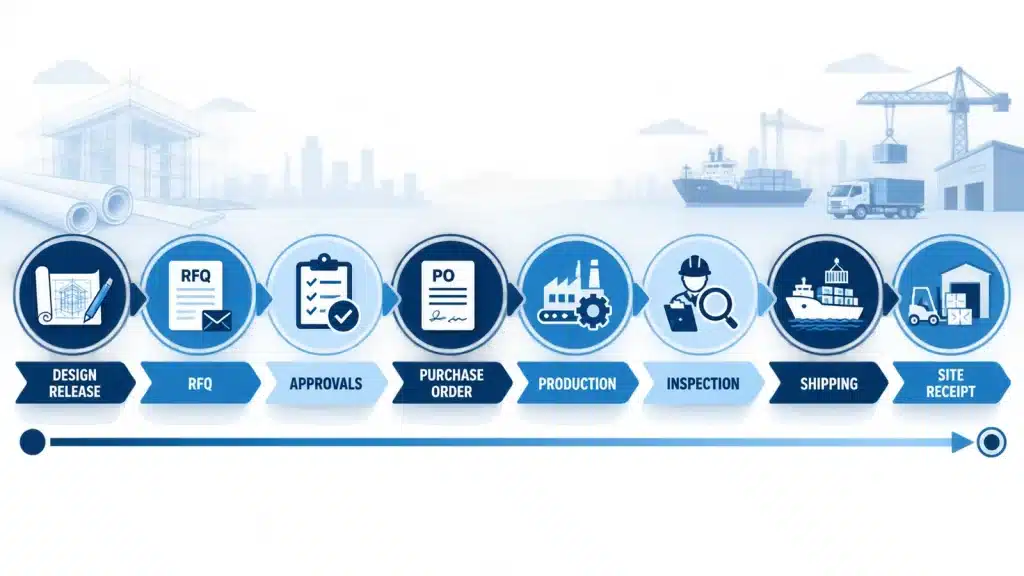
The sequence below turns the template into a working control document. The dates should be developed with the planner, design team, commercial team, site team, suppliers, logistics representatives, and quality personnel relevant to each package.
- Start with installation demand. Identify the activity, work area, and date when the material must be accepted and available for installation. Clarify whether “required on site” means at the gate, unloaded, inspected, stored, or released to the installer.
- Break the project into controllable packages. Separate items when they have different technical approvals, suppliers, production starts, delivery phases, locations, or installation dates. Do not group them only because one supplier may quote several categories.
- Insert the release gates. Add design release, coordinated dimensions, RFQ, quotation comparison, technical submittal, shop drawing, sample or mock-up approval, commercial approval, purchase order, deposit, and production release where applicable.
- Confirm durations and trigger dates. Ask each supplier what starts its lead time, whether the duration uses working or calendar days, what approvals are excluded, which holidays or shutdowns apply, and whether the estimate covers the proposed size, quantity, finish, and destination.
- Add production, inspection, and logistics activities. Show progress checks, factory completion, required testing, pre-shipment inspection, corrective work, packing, consolidation, export documents, freight, customs, final delivery, unloading, receipt inspection, and storage.
- Assign owners, logic, and status. Give every package one accountable owner, connect predecessor and successor activities, calculate available float, record the current status, and baseline the first approved schedule before routine updates begin.
Plan Backward From the Required-on-Site Date
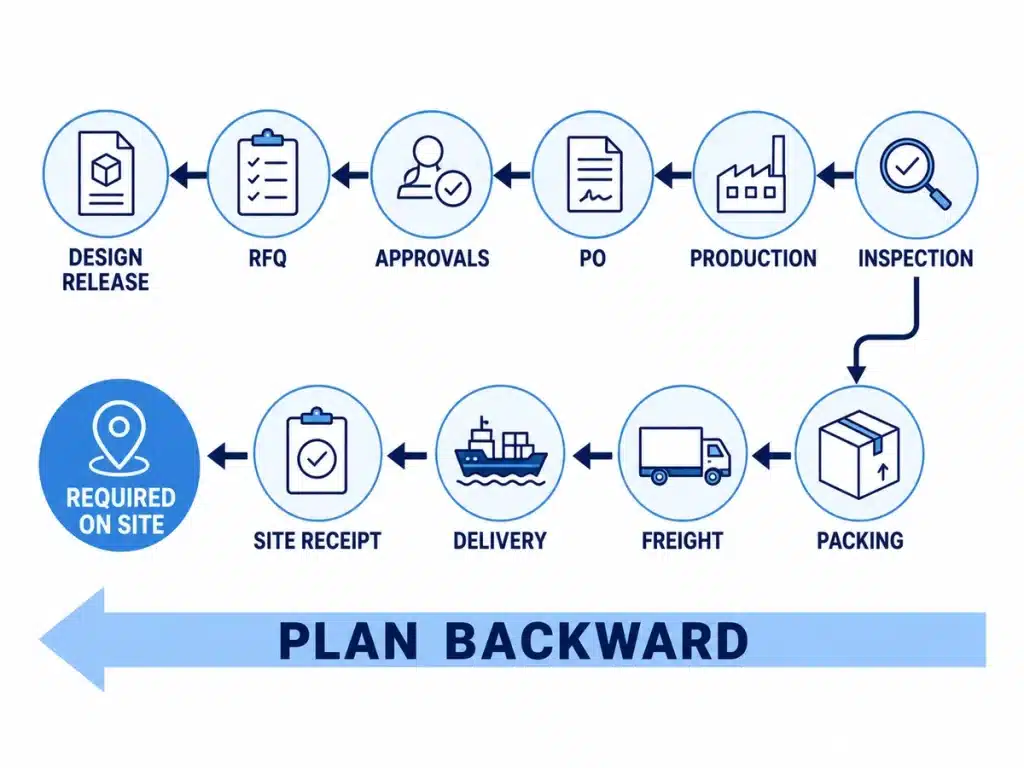
Backward planning is the central calculation. Begin with the date the installer needs accepted material in the correct area, then subtract the confirmed allowance for each preceding stage. Do not use one broad “lead time” cell when approvals, production, and transport can slip independently.
| Backward-planning milestone | Completion condition | How to set the date |
| Required on site | Correct quantity is received, checked, protected, and available in the planned work area. | Take from the latest approved construction programme and site readiness plan. |
| Site receipt and release | Unloading, count, damage review, documentation, storage, and handover are complete. | Subtract realistic receiving, inspection, handling, and access allowances. |
| Final delivery and customs | Cargo is cleared and available for the final route to site. | Subtract destination handling, clearance, local transport, and contingency appropriate to the route. |
| Main freight | Shipment has reached the destination port, terminal, or agreed delivery point. | Subtract the current carrier or forwarder programme, cut-offs, transits, and transfer allowances. |
| Packing and shipment release | Approved cargo is packed, marked, documented, and authorized to dispatch. | Subtract packing, consolidation, documentation, booking, and shipment-release activities. |
| Inspection and corrective action | The agreed inspection or test is complete and unresolved nonconformities are closed or formally accepted. | Subtract inspection notice, reporting, correction, and re-inspection time where required. |
| Production and fabrication | The complete approved scope is manufactured and ready for the quality gate. | Use the supplier-confirmed duration for the exact product, quantity, configuration, and production slot. |
| Purchase commitment | Purchase order or contract, payment requirement, and production slot are acknowledged. | Subtract internal approval, document issue, deposit, and supplier acknowledgement time. |
| Technical and finish approvals | Required drawings, samples, calculations, interfaces, or client selections are approved for release. | Allow for preparation, review, comments, revision, resubmission, and final recording. |
| RFQ and supplier selection | Comparable quotations are evaluated and the recommended supplier is authorized. | Subtract inquiry, clarification, normalization, negotiation, recommendation, and approval periods. |
| Design and quantity release | The controlled drawings, specifications, schedules, quantities, and scope boundaries are ready for procurement. | Link to the design programme and record any provisional information or assumptions. |
There is no universal duration for these stages. Use project calendars, contract review periods, current supplier commitments, route-specific logistics information, factory shutdowns, and approved contingency. Record the date and source of every confirmation.
Control Approval and Release Dependencies
Custom building products often cannot start production from a purchase order alone. Windows, doors, cabinetry, stone, sanitary ware, lighting, and other coordinated products may depend on verified dimensions, final finishes, hardware, MEP interfaces, shop drawings, samples, or client selections.
Track the shop drawing approval process and the material sample approval process as dated schedule activities, not informal notes. Each gate should identify the required document or sample, revision, submitter, reviewer, status, comments, resubmission requirement, approval date, and the downstream activity it releases.
If an approval is provisional or approved with comments, record whether production may proceed, what remains open, who accepted the risk, and the latest date for closing the condition. Never treat “submitted” or “under review” as permission to fabricate unless the project procedure expressly allows it.
Manage Long-Lead Items and Procurement Risk
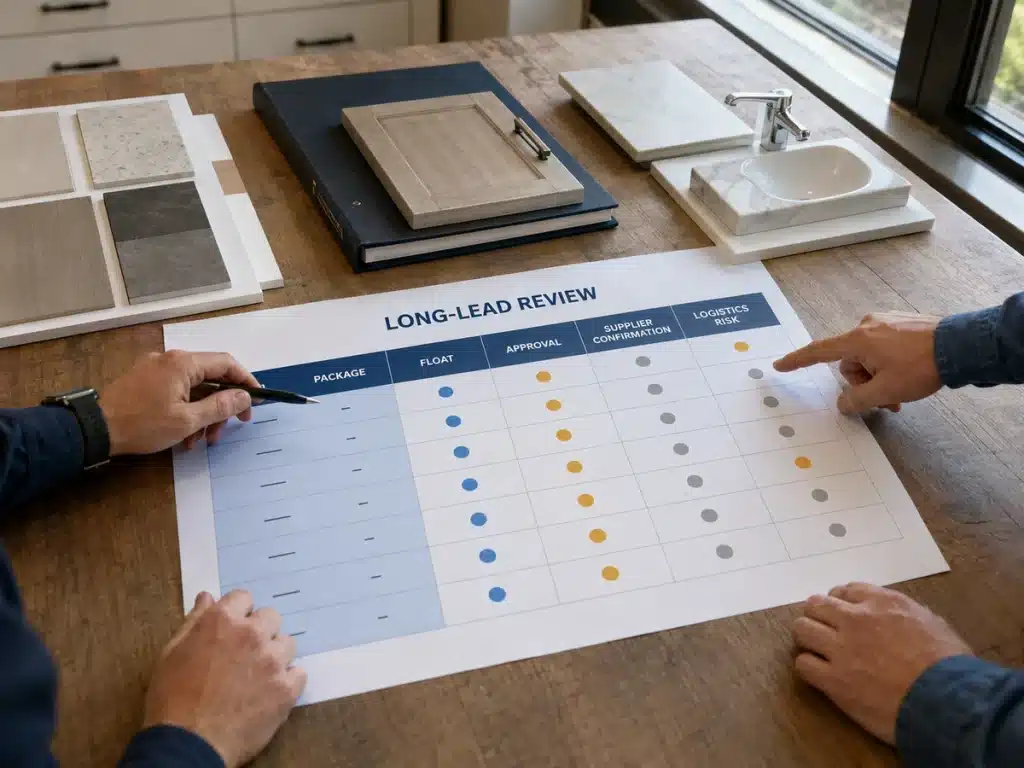
A long-lead item is not defined by one universal number of weeks. It is a package whose total decision, approval, production, logistics, or commissioning path is long relative to the date it is needed and the float available. Cost alone does not determine criticality: a low-value accessory can stop an entire work area when no compliant substitute is available.
| Risk trigger | Why it matters | Schedule response |
| Unreleased design or quantities | RFQ and fabrication may be based on incomplete or conflicting information. | Mark the assumption, owner, resolution date, affected packages, and release restriction. |
| Unconfirmed lead-time trigger | Supplier and buyer may calculate delivery from different starting events. | Record the exact trigger, duration basis, exclusions, confirmation date, and supporting evidence. |
| Repeated approval cycles | Review time consumes float before production begins. | Track every submission and response; escalate the decision, not only the final delivery date. |
| Limited capacity or custom production | A missed slot can cause a larger delay than the nominal fabrication period. | Confirm reservation conditions, progress evidence, recovery options, and alternative capacity. |
| Complex international logistics | Cut-offs, consolidation, documents, customs, and site access add separate dependencies. | Schedule each handoff with an owner and keep route, cargo, and destination allowances current. |
| Low float or critical interface | Small slippage can interrupt following trades or several linked packages. | Increase review frequency, set escalation thresholds, and test approved recovery options early. |
Possible recovery actions include clarifying information, resequencing work, splitting a delivery, increasing review or inspection frequency, changing the logistics route, reserving capacity, or approving a compliant alternative. Every option needs technical, commercial, contractual, quality, and downstream programme review before adoption.
Track Production, Inspection, and Delivery
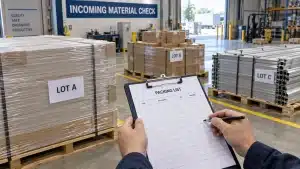
Once an order is placed, replace general status language with evidence-based milestones. Production start should refer to the released scope and confirmed slot. Factory completion should not be confused with inspection acceptance, shipment departure, port arrival, customs clearance, site delivery, or release for installation.
Use a project-specific pre-shipment inspection checklist to connect finished goods with the purchase order, controlled technical documents, approved samples, quantities, accessories, nonconformities, and packing requirements. For combined cargo, schedule the warehouse receipts, compatibility checks, packing, load plan, and handover steps described in the guide to consolidated shipping for building materials.
For the final route, the guide to transporting construction materials helps identify access, loading, securing, handling, unloading, inspection, and storage activities that may need their own dates and owners.
Update the Schedule Without Hiding Delay
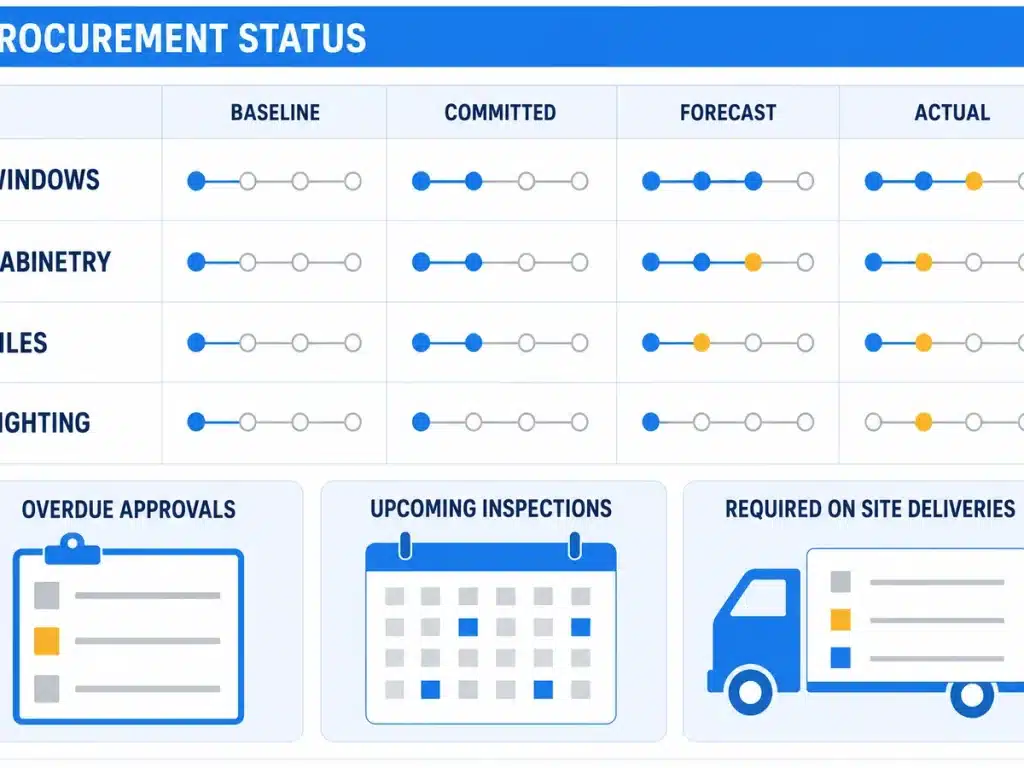
Keep four date types separate. The baseline date records the approved plan. The committed date records a supplier or project commitment. The forecast date shows the current expected outcome. The actual date records what occurred. Replacing all four with one “due date” removes the history needed for decisions and delay analysis.
Weekly procurement review checklist
- Confirm the current required-on-site date and whether the linked construction activity has changed.
- Review packages with low float, overdue actions, unconfirmed assumptions, or missing technical information.
- Compare baseline, committed, forecast, and actual dates; record the cause and effect of every movement.
- Verify the next action, accountable owner, approval authority, supporting evidence, and latest safe decision date.
- Check production evidence, inspection status, shipment milestones, site access, storage readiness, shortages, and damage actions.
- Issue a controlled update and keep prior revisions retrievable rather than silently overwriting the history.
Useful procurement schedule KPIs
Use a small set of measures that prompts action: packages with a confirmed required-on-site date; overdue design or approval gates; purchase orders placed by the baseline date; supplier dates confirmed against the final specification; forecast deliveries later than required; inspections completed before release; and deliveries accepted without shortage, damage, or documentation gaps.
Report exceptions alongside the action needed. A red status with no owner, decision, or latest safe response date is a warning, not a management control.
Common Construction Procurement Schedule Mistakes
- Starting from a generic materials list instead of the approved construction sequence and work areas.
- Using one supplier lead time without separating approvals, production, inspection, packing, shipping, customs, receipt, and release.
- Combining packages that have different approval routes or required-on-site dates merely because one supplier can provide them.
- Recording dates without an owner, approver, dependency, source, confirmation date, or escalation threshold.
- Treating a purchase order, drawing submission, factory completion, or port arrival as proof that material is ready for installation.
- Moving baseline dates to make the report appear current instead of retaining the variance and approved change history.
- Adding many columns that are not reviewed while omitting the next action and the date by which a decision is needed.
Frequently Asked Questions
What is a construction procurement schedule?
It is a dated control record linking construction demand to the design, quotation, approval, ordering, production, inspection, shipping, receipt, and release activities required before materials can be installed.
What should be included in a construction procurement schedule?
Include package identity, controlled technical references, required-on-site date, approval gates, planned and current dates, dependencies, owners, supplier commitments, production and inspection milestones, logistics, receipt status, risks, changes, and next actions.
How do you calculate construction procurement lead time?
Start with the accepted required-on-site date and work backward through site handling, delivery, customs, freight, packing, inspection, production, purchase commitment, approvals, supplier selection, and design release. Use confirmed project-specific durations rather than universal allowances.
What is the difference between a procurement schedule and a procurement log?
The schedule contains time logic, dependencies, and dates linked to construction needs. A log records item status, evidence, and actions. One system can perform both functions if it preserves the schedule logic and audit trail.
Who owns the procurement schedule?
Responsibility depends on the contract and organization. A procurement manager, planner, commercial manager, package manager, or project manager may maintain it, but every package still needs one accountable action owner and defined approvers.
How often should the schedule be updated?
Update it at least during the agreed procurement review cycle and more frequently for critical or changing packages. Review it whenever the construction programme, design, supplier commitment, route, or site condition changes.
Can a procurement schedule be managed in Excel?
Yes. Excel or Google Sheets can work when the file has stable package IDs, controlled status definitions, protected formulas, clear permissions, revision history, and dependable links to source documents. Larger projects may require scheduling, procurement, or common-data-environment software.
Conclusion
An effective construction procurement schedule starts with installation demand and makes every preceding decision visible. Use controlled package references, work backward from required-on-site dates, separate approval and logistics stages, confirm supplier assumptions, preserve baseline and forecast dates, and review exceptions before they consume the remaining float.
For a multi-category villa, apartment, hotel, or commercial project, share the available BOQ, drawings, material schedule, project location, and target delivery phases when you request a project quotation. The quotation and delivery plan should remain subject to confirmed scope, technical review, supplier commitments, and the approvals required by the project.
Next Steps for Your Project
Topic hub: BOQ & Project Planning Guides
Relevant product pages: Custom Cabinetry · Aluminum Windows & Doors · Luxury Sanitary Ware Systems
Related guides: Construction BOQ Template · Whole-House Building Materials RFQ
Related service: Production Follow-Up