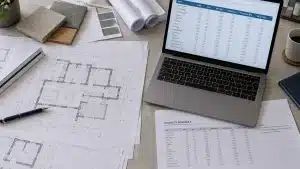
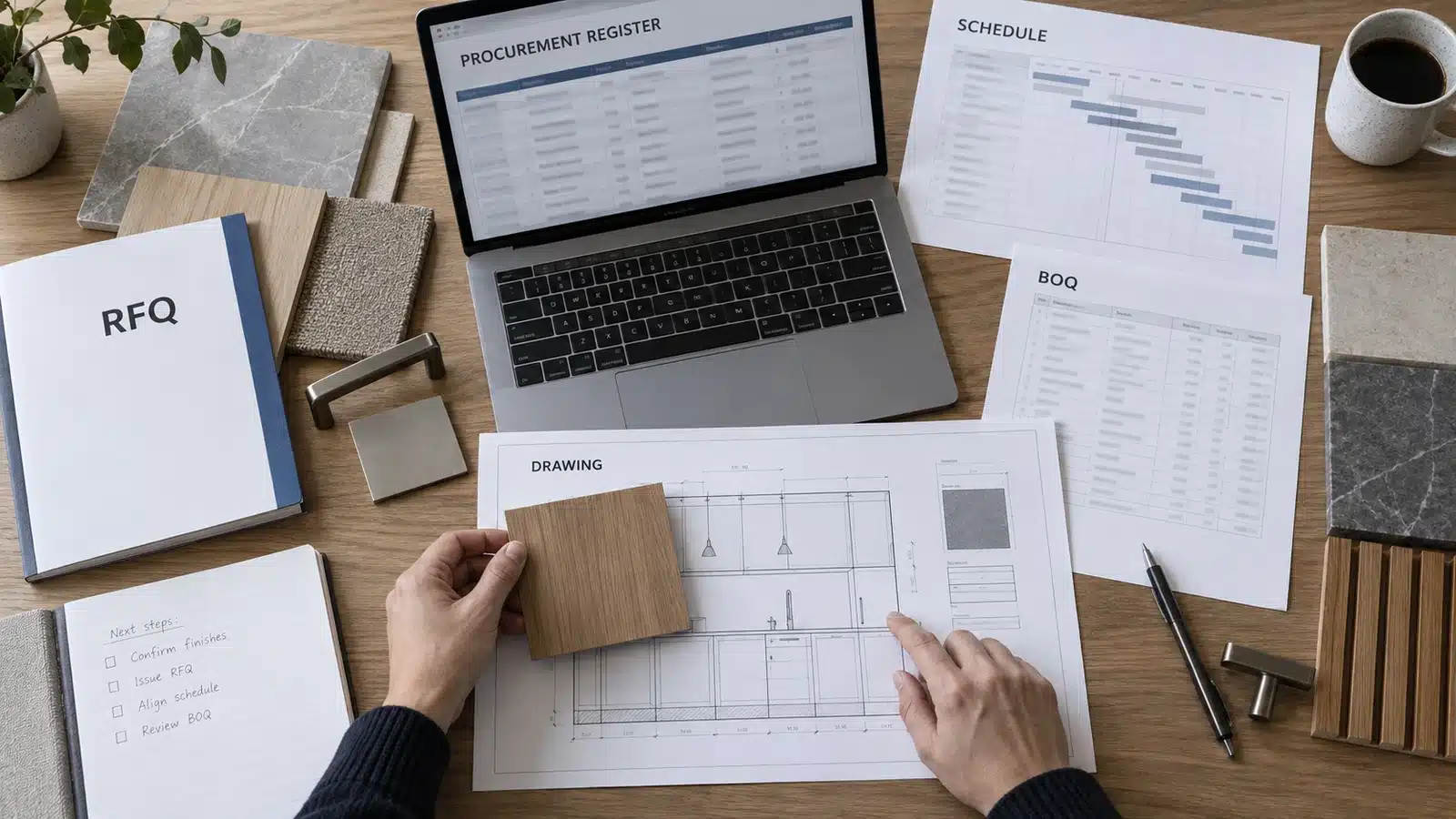
Download the free construction procurement plan template to organize package strategy, scope, owners, approvals, risks and required-on-site dates in one working register. The Excel file includes a blank plan, completed examples and formulas for latest RFQ and purchase-order dates, forecast delivery and variance.
Use the template as a starting point, then adapt it to the project contract, approval authority, procurement route and reporting rules. Any client, contractual, statutory or company-prescribed form takes precedence.
Free Excel Download: Construction Procurement Plan Template
Includes a 100-row blank register, six worked examples, project setup guidance, date formulas, status and risk dropdowns, and exception flags.
Written by Winston, Project Director at Skyland Building · 10+ Years of Building Materials Experience
Updated September 2026 · 13-minute read
Key Takeaways
A procurement plan defines how each package will be scoped, sourced, evaluated, approved, contracted and controlled.
A procurement schedule is related but different: it turns the plan into dated activities tied to installation demand.
One stable package ID should connect the BOQ, RFQ, approvals, purchase order, production evidence, inspection and delivery records.
Every package needs one accountable owner, named approvers, a required-on-site date, a current risk and a dated next action.
Keep baseline dates and approved decisions visible; do not overwrite them when the forecast changes.
What Is a Construction Procurement Plan
A construction procurement plan is the project’s agreed framework for buying work, materials, equipment and specialist packages. It records what will be procured, how the market will be approached, who makes each decision, which controls apply and how procurement will support the construction programme.
Create the first version during preconstruction, while package boundaries, delivery methods and approval routes can still be changed. Update it when the design, programme, market response, contract strategy or risk profile changes. The document should show the current approved route and retain the reason for material departures.
Procurement Plan vs Schedule vs BOQ vs RFQ
These documents should share references, but they do different jobs. Keeping that distinction clear prevents this page from competing with Skyland’s detailed construction procurement schedule guide.
| Document | Primary purpose | Key question |
|---|---|---|
| Procurement plan | Strategy, governance, package routes, responsibilities and controls | How will the project procure and control each package? |
| Procurement schedule | Dated approvals, purchasing, production, inspection and delivery milestones | What must happen by when to meet installation demand? |
| BOQ | Measured scope, descriptions, quantities, units and pricing fields | What work or material is being measured and priced? |
| RFQ | Common inquiry instructions and supplier response requirements | What must bidders price, confirm and disclose? |
| Procurement log | Current status, evidence, comments and actions | What is happening now, and what happens next? |

What the Construction Procurement Plan Template Includes
The downloadable workbook is designed for package-level control. Use one row for each independently sourced package or delivery phase. Split a package when it has a different supplier, approval path, production release, required-on-site date or responsible owner.
| Field group | Recommended fields | Control purpose |
|---|---|---|
| Package identity | Package ID, category, scope and BOQ or specification reference | Keeps records traceable from planning through closeout |
| Procurement route | Competitive bid, negotiated, framework, direct purchase or other approved method | Records how the market will be approached and why |
| Responsibility | Package owner, technical approver and commercial authority | Makes preparation, review, decision and escalation ownership visible |
| Market and supplier | Bidders, prequalification status, selected supplier and quotation reference | Connects market evidence to the award decision |
| Time control | Required on site, tender, approval, production, inspection, shipping and buffer days | Calculates latest RFQ and PO dates and shows forecast variance |
| Risk and action | Risk level, dependency, next action, owner and action due date | Turns status reporting into a decision list |
| Change and closeout | Approved change reference, actual delivery, acceptance and required records | Preserves the baseline and closes the evidence trail |

How to Build a Construction Procurement Plan Step by Step
Confirm the project basis and authority. Record the project, contract or delivery model, programme reference, currency, approval delegations, document-control rules and reporting cycle. Identify any prescribed client or regulatory template before creating a parallel process.
Break the scope into controllable packages. Start from the current drawings, specifications, schedules and construction BOQ template. Separate packages when scope, supplier, approval, production or delivery responsibilities differ.
Select the procurement route. Choose an approved route that fits package value, complexity, competition, design maturity, interfaces and risk. Record the rationale instead of relying on an undocumented habit.
Prepare one comparable market package. Issue bidders the same controlled scope, technical references, delivery basis and response fields. The building materials RFQ guide explains how to expose exclusions, alternatives and assumptions before comparison.
Define evaluation and approval gates. Set technical, commercial, capacity, programme, quality and logistics criteria before bids arrive. Use a supplier prequalification checklist where capability and manufacturing-route checks are needed.
Assign one accountable owner. Name the person who maintains the package record and escalates blocked decisions. Also name the technical reviewer, commercial authority and site acceptance responsibility.
Plan backward from required-on-site dates. Separate tender, approval, production, inspection, shipping and site-receipt allowances. Confirm what starts each duration and whether it uses calendar or working days. Use the procurement schedule method for detailed milestone logic.
Baseline, review and control changes. Approve the first plan, keep prior targets visible and record the source, owner, decision and impact of every material change. A weekly review should focus on exceptions and actions rather than rereading every row.

Construction Procurement Responsibilities
Job titles vary by contract and organization, so the plan should record decisions rather than assume that one title always owns them. The matrix below is a starting point, not a transfer of contractual responsibility.
| Role | Typical procurement responsibility | Evidence to retain |
|---|---|---|
| Project manager or client representative | Sets priorities, confirms authority and approves material departures | Approved plan, delegations, decisions and change references |
| Procurement manager or package buyer | Maintains the plan, issues RFQs, normalizes offers and follows actions | Inquiry issue, bid register, comparison and recommendation |
| Designer or technical reviewer | Defines technical requirements and reviews submittals, samples and interfaces | Current drawings, specifications, comments and approval status |
| Commercial manager or quantity surveyor | Checks budget basis, commercial terms, commitments and variations | BOQ reference, commercial comparison, approval and forecast |
| Planner or scheduler | Connects procurement milestones to the approved programme | Required-on-site dates, dependencies, float and approved date changes |
| Site and quality teams | Confirm access, receiving, storage, inspection and installation readiness | Inspection, receipt, shortage, damage and acceptance records |

How to Use the Excel Template
Complete the Setup and Guide Sheet
Enter the project name, location, client, delivery model, prepared-by name, revision and reporting date. Confirm the calendar basis before entering durations. The workbook uses calendar-day arithmetic; projects controlled by working-day calendars should replace the formulas or manage detailed dates in the approved scheduling system.
Add One Row per Controlled Package
Use a stable package ID and do not recycle it after an item is cancelled. Complete the scope, source reference, route, owner, approver, supplier status and required-on-site date before relying on calculated dates. Blank inputs stay blank so missing information is visible rather than presented as a false zero.
Check the Calculated Dates and Status
The template calculates the latest RFQ date from tender, approval, production, inspection, shipping and buffer durations. It calculates the latest PO date from post-order activities, then compares forecast delivery with the required-on-site date. Review every formula against the project calendar and supplier’s confirmed lead-time trigger before using it as a commitment.
| Status | Meaning in the workbook | Required response |
|---|---|---|
| Needs Date | The package has no required-on-site date | Confirm the linked installation demand |
| Add Lead Times | The required date exists but durations are incomplete | Confirm stage durations and their starting events |
| Not Ordered | The latest PO date has not passed and no planned PO date is entered | Complete approvals and place the order by the latest date |
| PO Overdue | The latest PO date has passed without a planned PO date | Escalate, quantify impact and agree recovery action |
| On Track | Forecast delivery is before the buffer period | Maintain evidence and review at the normal cycle |
| At Risk | Forecast delivery is within the stated buffer period | Confirm assumptions, monitor more often and prepare recovery options |
| Late | Forecast delivery is later than the required-on-site date | Record impact, decision owner and approved recovery or programme response |
Preserve the Baseline and Evidence
Do not move the required-on-site date merely to remove a red status. Keep approved baseline dates, supplier commitments, current forecasts and actual dates separate when the project needs delay analysis. Link the plan to controlled documents instead of storing untraceable copies inside the register.
Plan Long-Lead and Custom Packages
A long-lead item is a package whose complete decision, approval, production and delivery path is long relative to the date it is needed and the float available. There is no universal duration. Confirm the proposed supplier, exact product, quantity, finish, release conditions, production slot, inspection route and logistics basis.
For custom windows, doors, cabinetry, stone, sanitary ware, lighting and similar coordinated products, a purchase order may not release production. Add the required drawings, samples, calculations, dimensions and interface decisions to the plan. Use the technical submittal checklist to define the evidence needed before acceptance or release.

Control the Package After Award
The plan remains active after the purchase order. Replace general progress statements with dated evidence tied to the approved item, drawing, finish, quantity and release condition. Skyland’s production follow-up service shows how category-level milestones, changes and inspection readiness can remain connected.
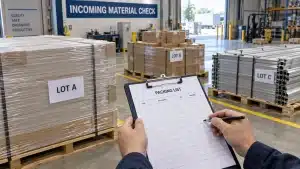
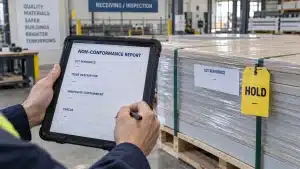
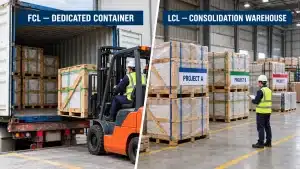
Before dispatch, use a project-specific pre-shipment inspection checklist to reconcile the purchase order, controlled technical references, quantities, accessories, nonconformities and packing. When several suppliers share one shipment, plan warehouse receipts, labeling, compatibility and loading through the consolidated shipping guide.
Weekly Procurement Plan Review Checklist
Confirm that package scope and source-document revisions are current.
Check packages with missing required-on-site dates or unconfirmed lead-time triggers.
Review overdue RFQs, approvals, purchase orders, actions and supplier responses.
Compare baseline, commitment, forecast and actual dates without overwriting history.
Record the next action, accountable owner, due date and evidence required to close it.
Escalate low-float, high-risk or late packages with the cost, technical and programme effect stated.
Verify production, inspection, packing, shipping, site access, storage and receipt readiness where applicable.
Close packages only after delivery, acceptance, shortages, defects and required documents are resolved.
Common Construction Procurement Plan Mistakes
Treating the plan as a one-time narrative instead of a controlled package register.
Copying a generic material list without package boundaries, locations, source references or required-on-site dates.
Using one broad lead-time figure that hides approval, production, inspection and logistics dependencies.
Naming a department but not the accountable person or approval authority for each package.
Comparing quotation totals before normalizing scope, accessories, freight, taxes, exclusions and delivery basis.
Marking a package complete at recommendation, PO issue, factory completion or port arrival before the material is accepted for use.
Changing baseline dates or scope without retaining the approval, reason and impact.
Adding columns that no one reviews while omitting the next action and its due date.
When Excel Is Enough
Excel can work for a small or medium package register when the team uses stable IDs, controlled status definitions, protected formulas, clear editing responsibility, revision history and dependable links to source documents. Store the current approved copy in the project’s controlled environment rather than circulating several competing attachments.
Consider a scheduling, procurement or common-data-environment platform when the project needs multi-user workflow, formal approvals, hundreds of linked activities, automated supplier updates, granular permissions or a detailed audit trail. The process should remain the same: controlled scope, named responsibility, dated decisions and traceable evidence.
How Skyland Supports Building Material Procurement Planning
For multi-category villa, apartment, hospitality and commercial projects, Skyland can review available BOQs, drawings, schedules and specifications to organize quotation inputs, missing decisions and package priorities. The BOQ and RFQ review service focuses on the information suppliers need for a more comparable offer, while project material coordination connects scope, approvals, production, packing and delivery references across selected categories.
Share the current BOQ or material schedule, drawing register, relevant specifications, project location, selected categories and target delivery phases when you request a project quotation. Any quotation and coordination scope remains subject to confirmed project information, supplier commitments and the approvals assigned by the contract.
Frequently Asked Questions
What is a construction procurement plan
It is the approved framework for defining, sourcing, evaluating, approving, contracting and controlling project packages. It records strategy, responsibility, key dates, risks and decision evidence.
What should a construction procurement plan template include
Include project controls, package IDs, scope and source references, procurement route, owners and approvers, market and supplier status, required-on-site dates, stage durations, risks, actions, changes and closeout records.
What is the difference between a procurement plan and procurement schedule
The plan defines how procurement will be managed and governed. The schedule records the dated activities and dependencies needed to meet installation demand. They may share a register, but they answer different questions.
When should the plan be prepared
Prepare the first version during preconstruction, before market engagement limits the available options. Update it when design, programme, package boundaries, sourcing strategy, authority or risk changes.
Who owns the construction procurement plan
Ownership depends on the contract and organization. A procurement manager, commercial manager, project manager or package lead may maintain it, but each package still needs one accountable action owner and named approvers.
Can the template be used for building materials only
No. It can be adapted for materials, equipment, specialist fabrication and subcontract packages. Add project-specific fields where they support a real decision, control or evidence requirement.
How often should the plan be updated
Review it at the agreed procurement meeting cycle and more frequently for critical or changing packages. Update a package whenever scope, approval, supplier, commitment, forecast, risk or next action changes.
Use the Template as a Live Control Record
A useful construction procurement plan makes the next decision visible. Define each package from controlled project information, choose a route that fits the risk, assign authority, work backward from installation demand and keep changes traceable. Download the Excel template, replace the examples with project data and review exceptions before they consume the remaining time.
Reference checked: NSW Government construction procurement plan guidelines. This public-sector guidance illustrates that procurement-plan requirements can be policy-specific; it does not replace the rules applicable to another project or jurisdiction.